


BtcCoin-Cloud Miner Mining
3.9643.00 Reviews
App Specs
- Version
- 2.0.2
- Updated On
- License
- Free
- Downloads
- 100,000+
- Developer
- BTC COIN Cloud Miner NFT
- Categories
- Finance
- Platform
- Android
Screenshots
 Analysis by AppCompare
I approached BtcCoin-Cloud Miner Mining as a finance app rather than as a guaranteed income tool. Its basic idea is easy to understand: the app presents cloud mining as a way to engage with Bitcoin-related activity without running mining hardware at home. That can sound appealing if you are curious about cryptocurrency but do not want the noise, heat, electricity use, and technical setup associated with physical equipment. My experience, however, is that the important question is not simply whether cloud mining sounds convenient. It is whether the app gives you enough control and clarity to make sensible decisions with your money.
BtcCoin-Cloud Miner Mining is free to install, but it belongs in the mature-finance category rather than the casual utility category. It is rated for adults aged 17 and over, and its optional purchases range from $7.99 to $999.99 per item. That difference matters. A free download can still lead a user toward substantial spending, so I would treat the installation as the beginning of an evaluation, not as a commitment to buy anything.
What the app is trying to offer
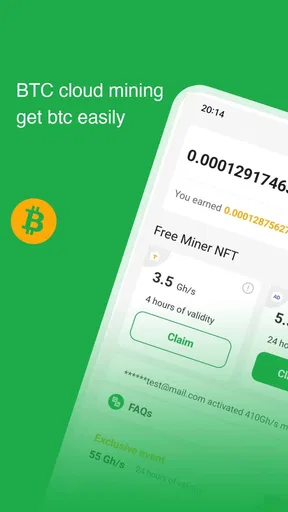
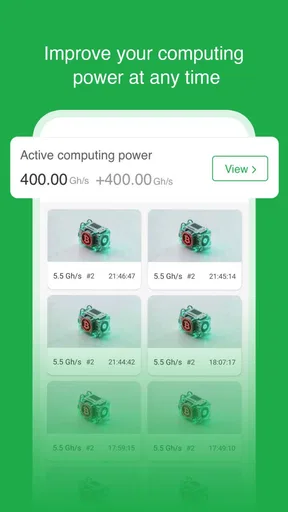
The app comes from BTC COIN Cloud Miner NFT and is listed as a cloud mining app. In practical terms, that positions it between a cryptocurrency information tool and a service that asks users to think about mining activity through a mobile interface. I found the concept most relevant for someone who wants to explore the language and workflow of cloud mining without immediately purchasing a machine or learning how to configure mining software.
It is not the same as owning a mining rig. A phone does not suddenly become a high-powered Bitcoin mining machine simply because an app uses mining language. The cloud model depends on the service behind the interface, so the user experience is inseparable from questions about account access, balances, purchases, withdrawals, and the explanations shown around those actions. That is why I focused less on the promise of mining and more on the choices the app puts in front of the user.
The app has an average rating of 3.9 from around 5.8 thousand ratings, with 643 written reviews and over 100 thousand installs. Those figures suggest that it has attracted a meaningful audience, but they should not be read as proof that every user will receive the same outcome. Ratings can tell me that people are trying the app and forming opinions; they cannot replace careful checking of the screens, terms, and financial decisions involved.
Trust starts with what you can verify in the interface
When I review a finance app, I look for practical signs of user control. Can I understand what an action does before tapping it? Is a purchase clearly separated from a free activity? Can I see whether a balance is informational, pending, or available to withdraw? Are account actions easy to find, or are they hidden behind promotional screens? These questions are especially important here because cloud mining can be difficult for newcomers to evaluate from appearance alone.
I would begin with a read-only visit. Before entering payment details or accepting any upgrade, I would inspect the account area, mining dashboard, transaction history, and settings. I would also look for the exact wording used for earnings, contracts, plans, fees, and withdrawals. A trustworthy experience should make those distinctions understandable without forcing the user to rely on assumptions.
Worth Reading Before You Choose

EA SPORTS FC Mobile 26 Is a Bigger Football Game, but It Takes Time

Flipboard Shows What News Apps Must Do Beyond the Feed

Switching to Android Auto Means Rethinking Your Driving Routine

Google Calendar Makes a Crowded Week Easier to Manage

Ludo King Makes the Most of the Minutes Between Plans

Baby Panda World Brings Quick Play to Modern Phones, but Its Game Library Feels Busy
The safest first step is observation, not payment. I would take time to identify which screens are merely showing activity and which screens create a financial obligation. If a button uses urgent language, promises unusually attractive results, or makes the paid option seem like the only meaningful route forward, I would pause and read everything around it. In a cryptocurrency app, a polished dashboard can make a speculative process feel more certain than it really is.
The current version is 2.0.2, and the app supports Android 7.0 or later. That makes it accessible to many older Android devices, which is useful if you are testing it on a spare phone. Still, compatibility is not the same as suitability. I would avoid installing a finance app on a device that is shared casually with family members, left unlocked, or used for sensitive banking without a screen lock and current system protection.
How I would test it without taking unnecessary risks
My preferred workflow would be deliberately slow. I would install the app from the official store, open it without making a purchase, and note what information it requests at each stage. If account creation is offered, I would use a unique password rather than reusing the password from email, banking, or a cryptocurrency exchange. I would then inspect whether the app provides a clear way to sign out, change account details, and remove access from a device.
Next, I would record the starting state of the account in my own notes. That might include the displayed balance, the status of any mining activity, and the wording used to describe progress. This is a useful habit because it separates genuine account changes from animations, promotional counters, or temporary messages. It also gives me a reference point if the interface changes after an update.
I would not begin by buying the largest available item. The purchase range reaches as high as $999.99 per item, and that upper limit alone is enough reason to establish a strict personal ceiling before exploring paid features. If I decided to test a purchase at all, I would use only an amount I could lose without affecting rent, bills, savings, or debt payments. I would also save the receipt and read the cancellation and refund information shown at the point of purchase.
That approach may sound cautious, but it is appropriate for an app connected to cryptocurrency and in-app spending. A small test can reveal whether the app explains the process clearly, whether account records update consistently, and whether the user can find the relevant controls. Spending more does not automatically make the service easier to judge.
Where personal data and account access deserve attention
Data-sensitive moments usually occur during sign-up, payment, identity checks, withdrawals, and support requests. I would pay close attention whenever the app asks for personal information or moves me from an informational screen toward a transaction. The important habit is to ask why each piece of information is needed and whether the request appears inside the app’s normal workflow.
I would also separate the app account from my broader financial identity wherever possible. I would not share a cryptocurrency wallet recovery phrase, private key, banking password, or exchange login with a mobile mining app. Those credentials are fundamentally different from an ordinary sign-in password. If a screen ever asks for secret wallet material, I would stop rather than treating the request as routine verification.
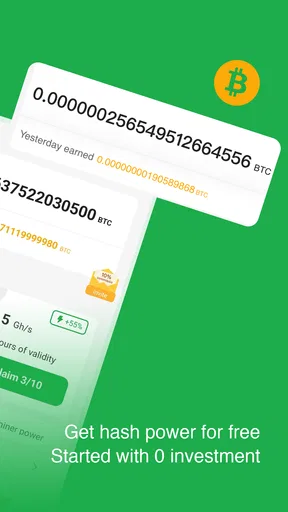
Payment choices deserve the same care. Before confirming an in-app purchase, I would check the amount, the item being purchased, and whether the charge is one-time or recurring. I would not assume that a displayed mining rate is the same thing as a guaranteed return, and I would not interpret a growing number on a dashboard as money that can necessarily be withdrawn.
Notifications can influence decisions too. If the app sends alerts about progress, bonuses, or limited opportunities, I would decide whether those messages help me monitor an account or simply encourage repeated visits and spending. Turning off unnecessary notifications is a small but useful form of control, especially when the subject involves volatile digital assets and paid upgrades.
What user agency should look like in daily use
A good everyday test is to imagine using the app during a busy week. Suppose I am curious about cloud mining and check the dashboard during a lunch break. I should be able to see what has happened since my last visit, understand whether the balance is pending or usable, and leave without being pushed into a purchase. If I cannot explain the displayed figures in plain language, I would not add money simply to find out.
I would also set a review schedule instead of checking constantly. For example, I might inspect the account once a week, write down any balance or status change, and review the purchase history. This reduces the chance of making an emotional decision based on a short-term change. It also makes it easier to notice a charge, setting, or account event that I did not expect.
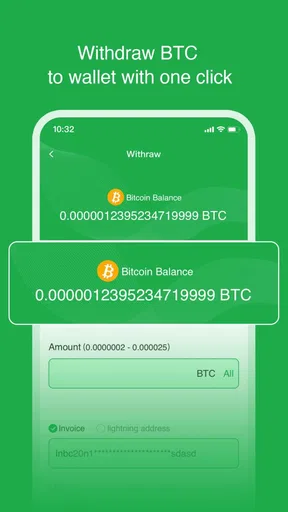
Before using any withdrawal function, I would read every condition shown on the withdrawal screen. I would look for minimum thresholds, processing stages, network charges, identity requirements, and the destination address. I would send a small test amount first only if the app clearly supports that process and the cost is acceptable. I would never treat an unverified withdrawal promise as a reason to purchase a larger mining package.
Another useful habit is keeping independent records. Screenshots can help document balances and transaction statuses, while receipts help track spending. I would store those records privately and avoid posting wallet addresses, account identifiers, or personal documents in public reviews or social media. This is not a substitute for the app’s own history, but it gives the user a clearer timeline when something needs checking.
Who may find it useful, and who should skip it
I can see a limited use case for an adult beginner who wants to learn how cloud-mining services present balances, plans, and account activity. That person should approach it as a small educational experiment, not as a replacement for employment, savings, or a diversified investment strategy. The free installation makes initial exploration possible, provided the user does not confuse access to the app with proof of profitability.
It may also suit someone who already understands cryptocurrency risk and is comfortable evaluating the difference between a service interface and an independently verified asset. Even then, the person should decide in advance how much money and personal information they are willing to expose. Experience with crypto does not remove the need to inspect controls and purchase conditions.
I would advise skipping it if you need predictable returns, instant access to cash, or a simple savings product. A conventional savings account is easier to understand for emergency funds. A regulated investment platform may be more appropriate for long-term investing, depending on your location and goals. Someone who wants to learn Bitcoin technology may get more value from educational material or a test environment than from paying for a mining-related item.
I would also avoid it if you are under the stated age rating, if you are vulnerable to impulse spending, or if a potential loss would create financial stress. The high end of the purchase range makes this especially important. A free app can still present expensive choices, and the presence of a balance on screen should never be treated as a guarantee that the balance will cover those purchases.
How it compares with familiar alternatives
Compared with running mining hardware, the cloud approach is less demanding physically. You do not need to manage a noisy machine, monitor temperatures, or deal with home electricity consumption from dedicated equipment. That convenience is the central reason someone might investigate an app like this. The trade-off is that you depend more heavily on the service operator and on the clarity of its account rules.
Compared with buying Bitcoin directly through an established exchange, cloud mining introduces another layer to understand. Buying an asset exposes you to market movement; cloud mining adds questions about mining terms, service operation, account crediting, and possible withdrawal conditions. Neither route is automatically safe or profitable, but they are different activities and should not be evaluated using the same assumptions.
Compared with a standard budgeting app, this is not a tool for organizing household finances. It should not be used to track rent, bills, debt repayments, or emergency savings. I would keep those responsibilities in a separate, familiar system so that speculative activity does not become mixed with money needed for daily life.
Compared with a cryptocurrency wallet, it should not automatically be treated as a place to store private keys or long-term holdings. A wallet’s central purpose is control of assets through cryptographic credentials, while a cloud-mining interface centers on a service account and its displayed activity. Keeping those roles separate helps reduce confusion and makes it easier to decide what information belongs in which app.
My final assessment of the experience
BtcCoin-Cloud Miner Mining is interesting as a low-commitment way to inspect the presentation of cloud mining, but I would not recommend approaching it with the expectation of easy income. The free entry point is helpful for cautious exploration, while the mature rating and expensive in-app purchase range make financial discipline essential. Its usefulness depends less on how attractive the dashboard looks and more on whether you can understand every account action before accepting it.
The developer is BTC COIN Cloud Miner NFT, and the app has reached over 100 thousand installs, so it is clearly not an obscure experiment with no audience. Even so, popularity does not answer the questions that matter most to an individual user: what exactly is being purchased, how is account activity explained, what controls are available, and what steps are required before money can be accessed?
My recommendation is cautious and specific. Install it only if you are an adult who wants to examine cloud-mining workflows, protect your account carefully, and set a firm spending limit of zero or a genuinely affordable test amount. Do not use money needed for essentials, do not share wallet secrets, and do not upgrade merely because the interface suggests that a larger purchase will solve uncertainty.
For me, the app is best judged as a speculative finance service that requires active user oversight. If the screens give you clear choices and you are satisfied with the terms, you can decide whether limited experimentation fits your risk tolerance. If the wording is confusing, the controls feel difficult to locate, or the purchase pressure outweighs the educational value, I would close it and choose a more transparent alternative. That is the most honest way to use a cloud-mining app: stay curious, keep control, and never let a mobile balance replace careful financial judgment.
Pros
- Simple interface suitable for users new to crypto mining
- Cloud-based model avoids installing heavy mining software
- Shows mining progress and account balance in one place
- Can be accessed from compatible mobile devices anywhere
- Useful for learning basic cryptocurrency mining concepts
Cons
- Profitability may be unclear without transparent earnings details
- Withdrawals may require meeting minimum balance thresholds
- Cloud mining involves provider and platform trust risks
- Returns can be affected by cryptocurrency price changes
- May offer limited control over mining hardware and settings
FAQs for BtcCoin-Cloud Miner Mining
What is BtcCoin-Cloud Miner Mining, and how does it work?
BtcCoin-Cloud Miner Mining presents itself as a mobile cloud-mining service related to Bitcoin. Instead of requiring users to operate mining hardware directly, the app typically claims to simulate or manage mining activity through a remote platform. Before downloading, carefully review its current description, supported services, mining terms, and whether it provides verifiable blockchain withdrawals rather than only displaying estimated balances inside the app.
Can I really earn Bitcoin with BtcCoin-Cloud Miner Mining?
Potential earnings should not be assumed. Bitcoin mining is expensive and competitive, and legitimate cloud-mining services normally explain fees, contract duration, hash rate, maintenance costs, payout thresholds, and expected returns. Check independent user feedback and confirm that withdrawals are documented before investing money or time. Treat guaranteed profits, unusually high returns, or claims of effortless income as serious warning signs.
Is BtcCoin-Cloud Miner Mining free to use, or are there hidden costs?
The application may allow free registration or provide a basic mining dashboard, but cloud-mining platforms can apply charges for upgrades, contracts, withdrawals, maintenance, network fees, or account verification. Read the complete pricing and withdrawal policies before creating an account. Never pay an unexpected fee simply to unlock funds, and avoid entering payment details until the provider’s identity and terms are independently verified.
Is BtcCoin-Cloud Miner Mining safe and legitimate?
Safety cannot be determined solely from an app’s appearance, ratings, or advertised mining statistics. Check the official developer information, privacy policy, permissions, contact details, store history, and reputation outside the app marketplace. Be cautious if the app requests unnecessary personal or financial information, pressures you to recruit others, or promises fixed returns. Download only from an official, trusted source and use a unique password.
What should I check before downloading or connecting a crypto wallet?
Before downloading, confirm the application’s official publisher, latest update date, supported Android or iOS version, and real user reviews. Do not share your wallet’s recovery phrase, private key, or exchange password with the app; legitimate services should never require them. If connecting a wallet is optional, use a separate wallet with limited funds. Also verify minimum withdrawals, processing times, network fees, and account-closure procedures.


